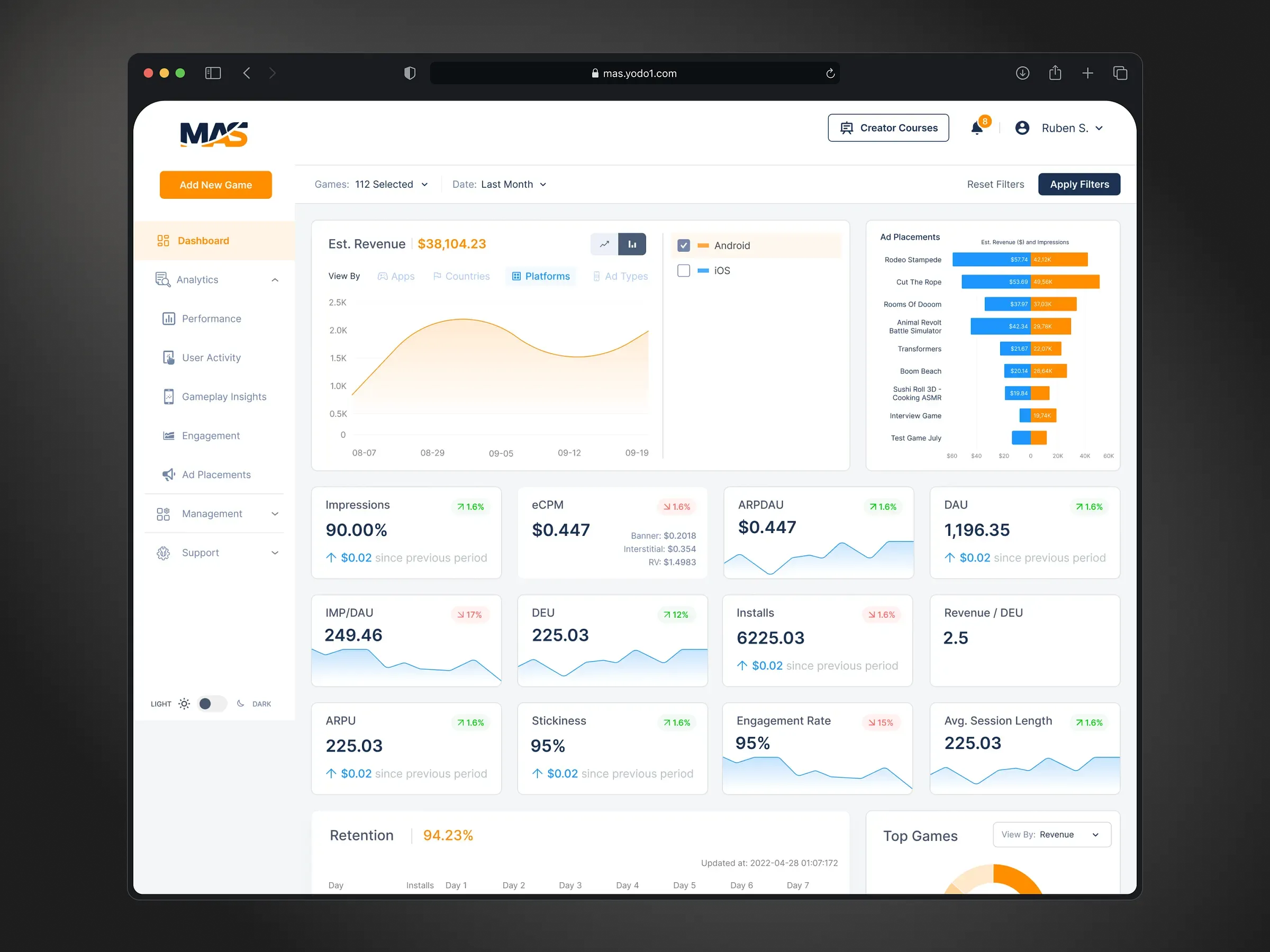
Analytics dashboard
Yodo1 MAS dashboard
A redesigned ad monetization dashboard for mobile game developers using Yodo1's mediation platform.
Overview
Yodo1 MAS (Managed Ad Services) is an ad mediation platform for mobile game and app developers: one SDK and one account instead of a separate deal with every ad network. Developers use the MAS dashboard to see what their games earn and why. I redesigned it, from sign-in and game setup to revenue, ad placement and player analytics.
Problem
The MAS dashboard was outdated, and the platform had grown past it: new ad formats and new kinds of analytics had no place in the interface, so developers couldn’t see them, and the data that was there was hard to read and compare.
Research
Yodo1’s users are mobile game developers, from solo indie studios to publishers with dozens of titles. Most of them aren’t ad-tech specialists: they chose a managed service so they don’t have to be. That shaped every decision:
- Answers before data. A developer opens the dashboard to answer simple questions: how much did I earn, which game, which ad, is it getting better or worse.
- One place for everything. MAS replaces many ad network accounts with one, so the dashboard has to be the single view of revenue, ads and players.
- Room to grow. The platform kept adding ad formats, like native ads in 2022, and analytics. The structure had to take new sections without another redesign.
How might we
How might we give game developers a clear answer to “how are my games earning?”, while leaving room for everything the platform adds next?
Process
Structure first
I grouped the dashboard around the developer’s questions instead of the data sources: Dashboard for the overview, Analytics (Performance, User Activity, Gameplay Insights, Engagement, Ad Placements) for the detail, and Management for games, testing, finance, users and referrals. The same filter bar (game, ad type, country, platform, date) works on every analytics page, so learning one page means learning them all.
One card, many metrics
Monetization has a lot of metrics: impressions, eCPM, ARPDAU, DAU, installs, retention, session length. I designed one KPI card for all of them: the value, the change against the previous period, and a small trend line. A developer can scan twelve numbers and see at a glance which ones moved.
Solution
The overview
Estimated revenue over time, revenue by ad placement, a grid of KPI cards, day-by-day retention and the top games, all on one screen and filtered together.
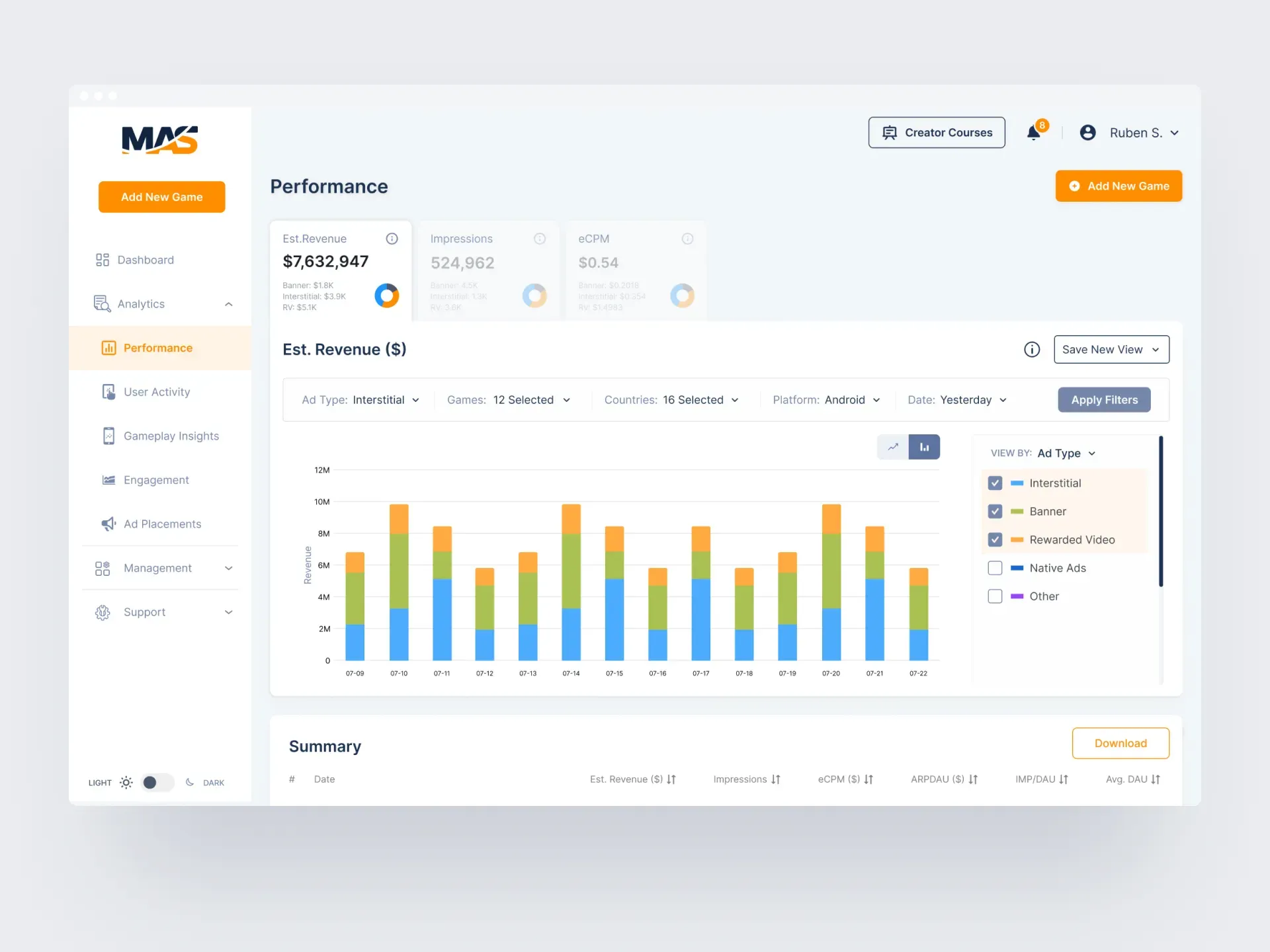
Performance
Revenue broken down by ad type (interstitial, banner, rewarded video, native) with a summary table to download. Developers can save their filter combinations as views, so a weekly check takes one click.
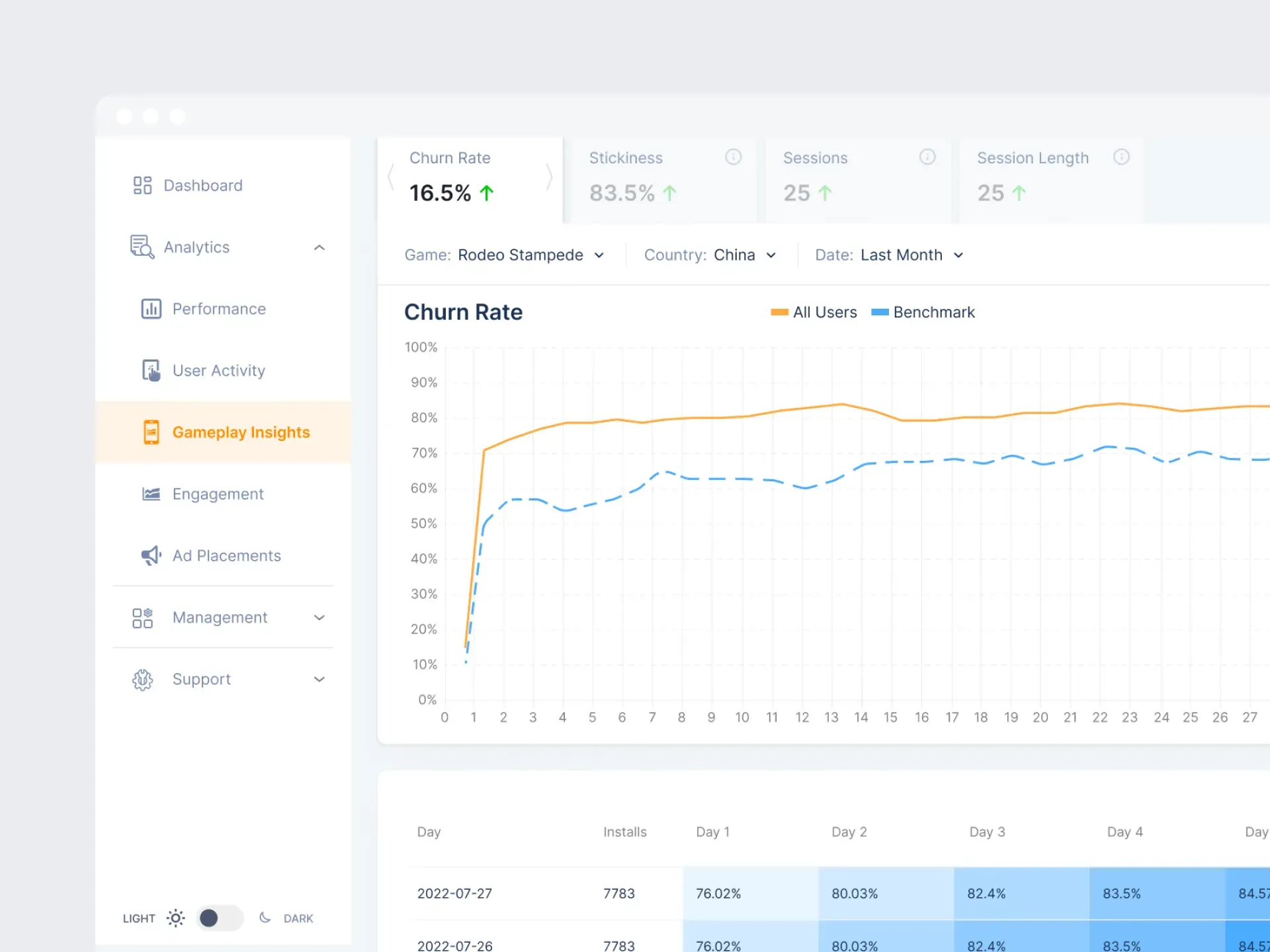
Gameplay insights
Churn rate against a benchmark, stickiness, sessions and session length, plus a retention cohort table. These help developers see whether players stay long enough to see ads at all.
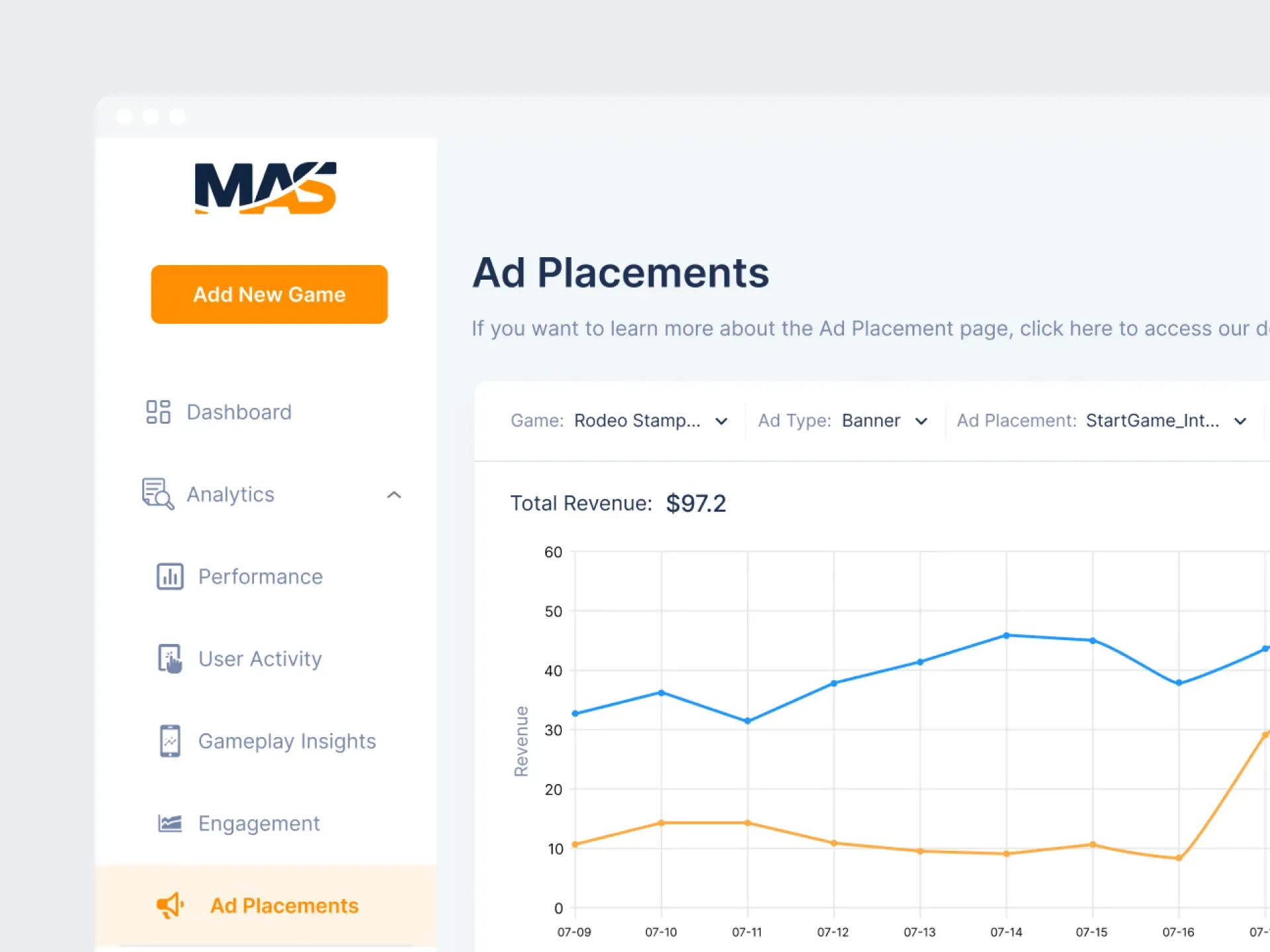
Ad placements
Revenue for each placement in a game, such as a banner at game start, over time. It shows which moments in a game actually earn.
Games and onboarding
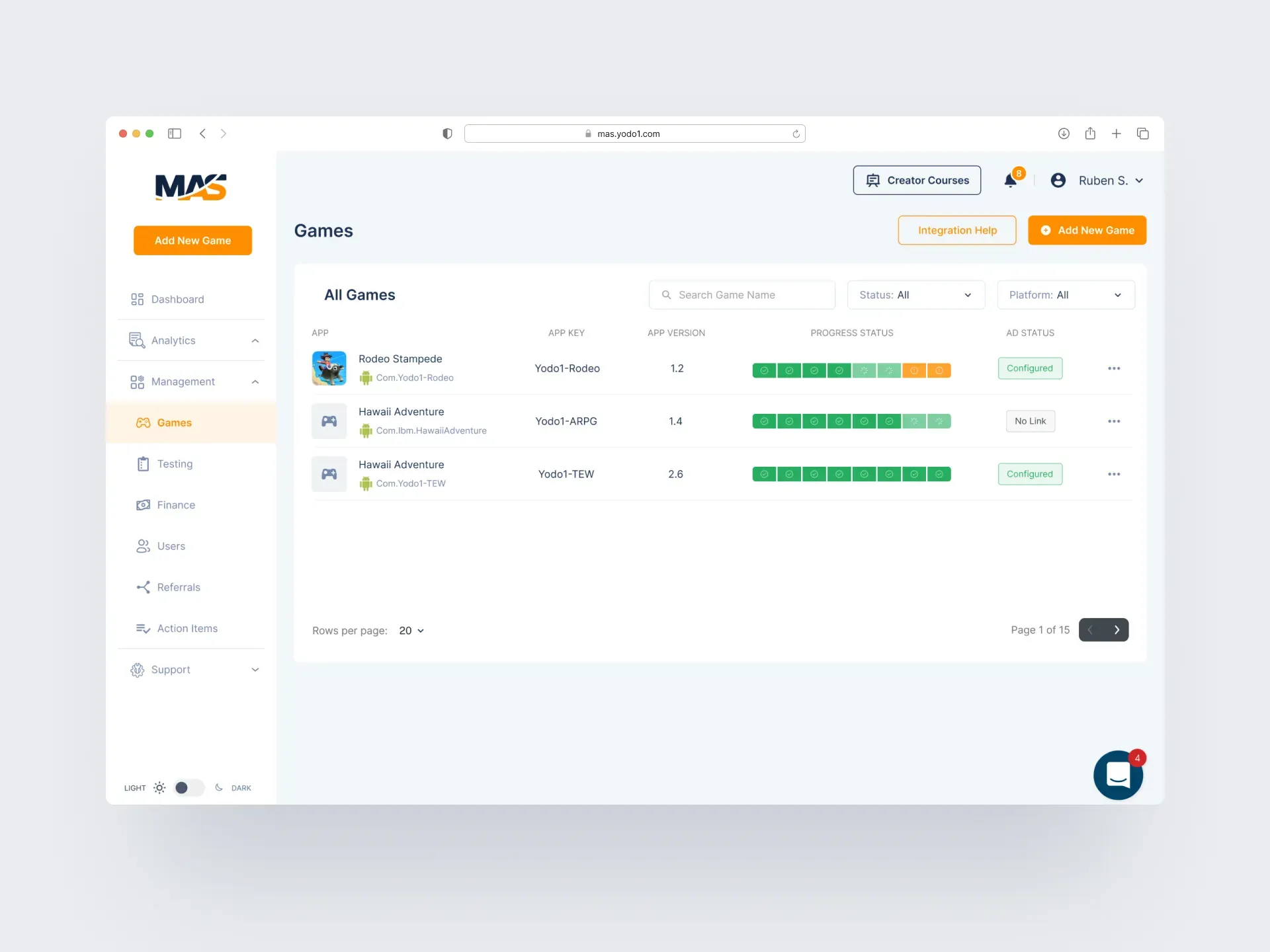
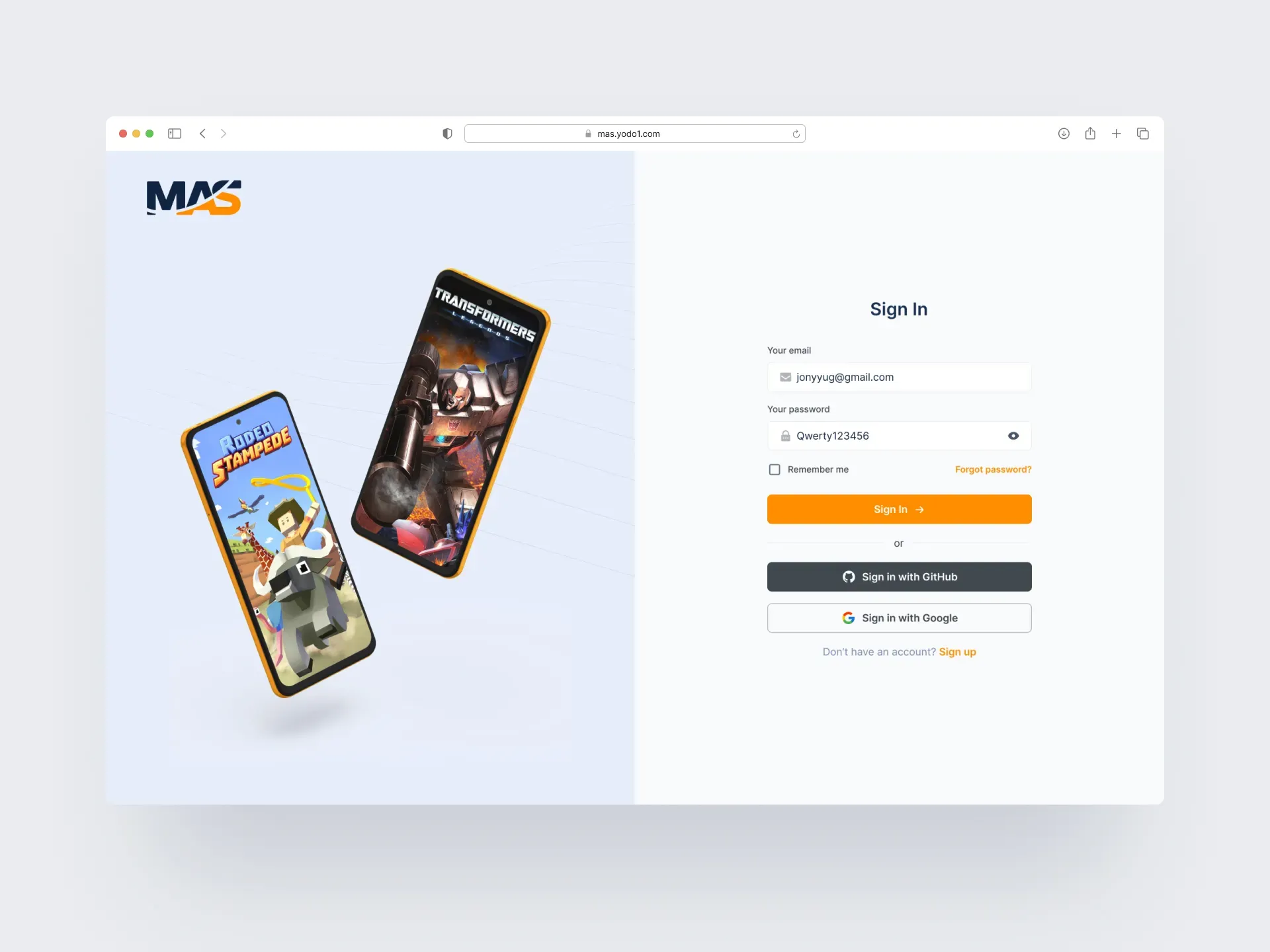
Every game shows its integration progress step by step and its ad status, with Add New Game and Integration Help always one click away. Sign-in works with email, GitHub or Google.
Outcome
The redesigned dashboard shipped on mas.yodo1.com. Developers got one consistent place for revenue, ad and player analytics, with a structure that had room for the platform’s new formats and features.
Learnings
- In analytics products, the first job is choosing what not to show. The overview answers four questions; everything else is one click deeper.
- A shared filter bar is worth more than any single chart: it makes ten pages feel like one tool.
- Designing for non-specialists means naming things plainly and showing the trend, not just the number.